Superior Video Rendering Engine
Full support for HDR10, Dolby Vision, and lossless multi-channel audio decoding (Dolby Digital Plus, DTS).



Complete installation and setup guide for the PVR IPTV Simple Client add-on on Kodi (v19 Matrix, v20 Nexus, v21 Omega) with your Tvsmarte subscription. Benefit from a premium open-source media platform featuring 4K HDR, Dolby Atmos, and audio passthrough support.
The most powerful and customizable media player available, tailored for home theater enthusiasts.
Full support for HDR10, Dolby Vision, and lossless multi-channel audio decoding (Dolby Digital Plus, DTS).
The PVR IPTV Simple Client add-on integrates directly into Kodi's TV menu with smooth zapping and electronic program guide.
Kodi is completely free, open-source, and free from ads or invasive trackers.
Kövesse az alábbi részletes lépéseket Tvsmarte streamjei beállításához a(z) Kodi alkalmazásban.
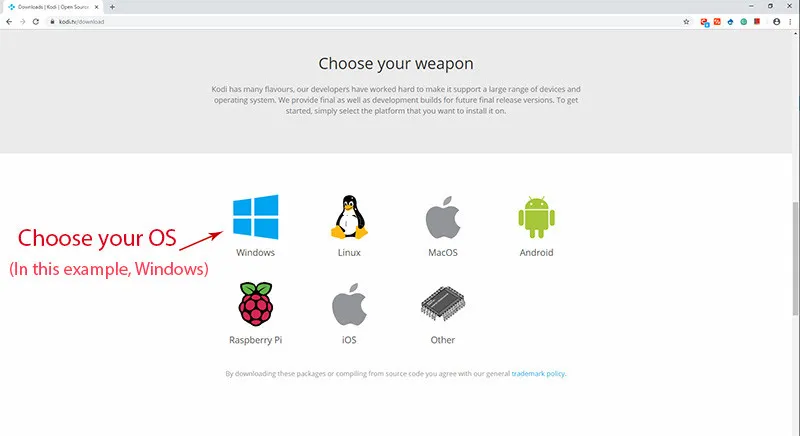
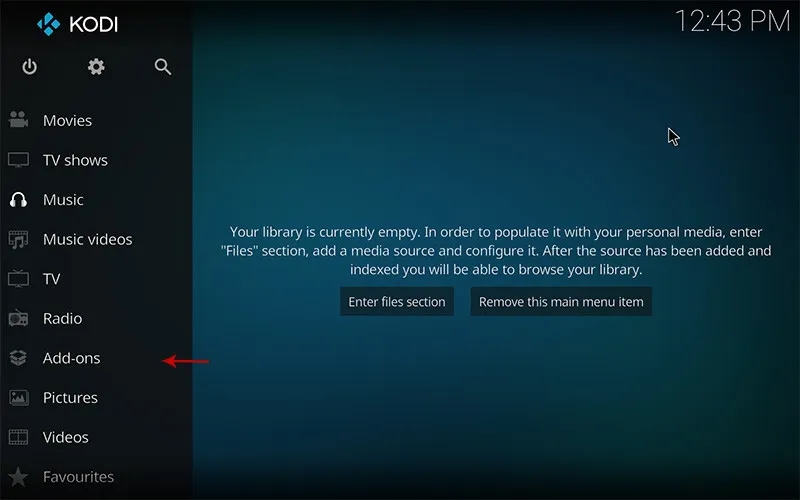
Launch Kodi on your device. In the left-hand main menu, click the 'Add-ons' tab.
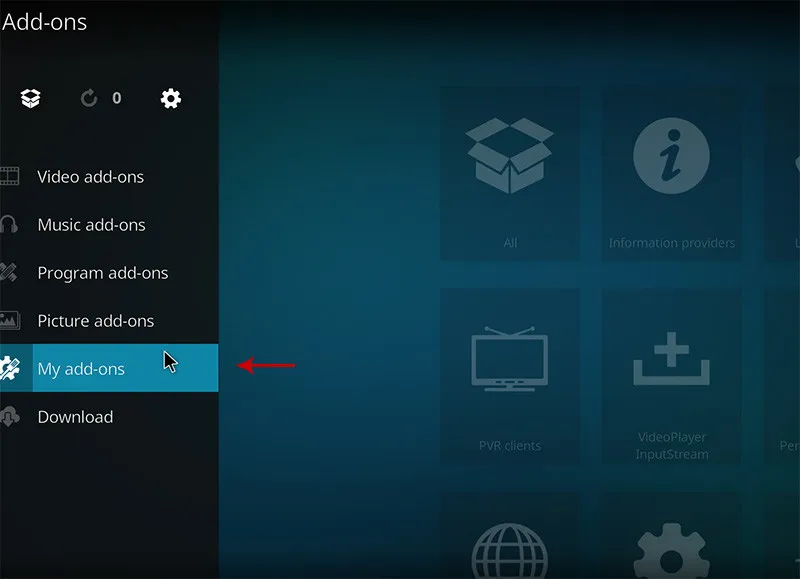
Click the open package icon (Add-on Browser), then select 'Install from repository'.
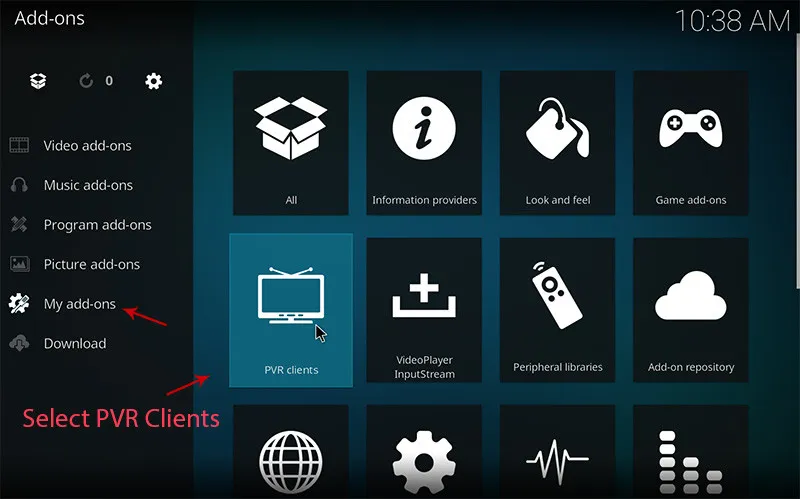
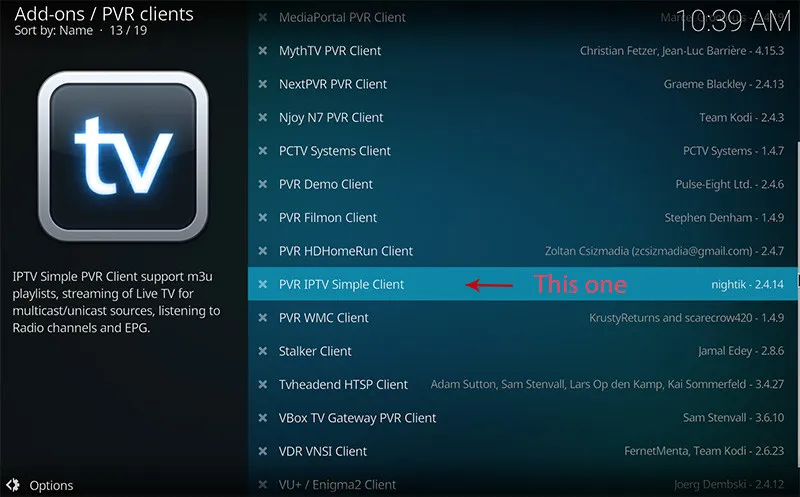
In the category list, open 'PVR clients' and scroll down to 'PVR IPTV Simple Client'. Click on it.
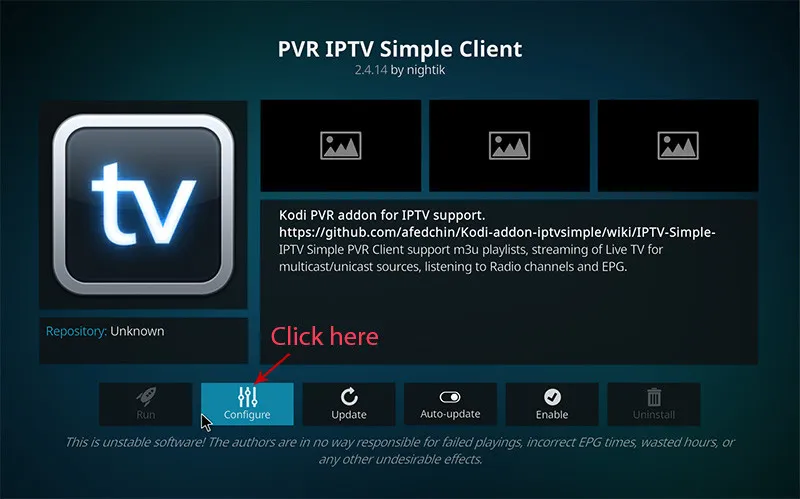
Click the 'Install' button. Once the add-on is activated, click 'Configure' to open the connection settings.
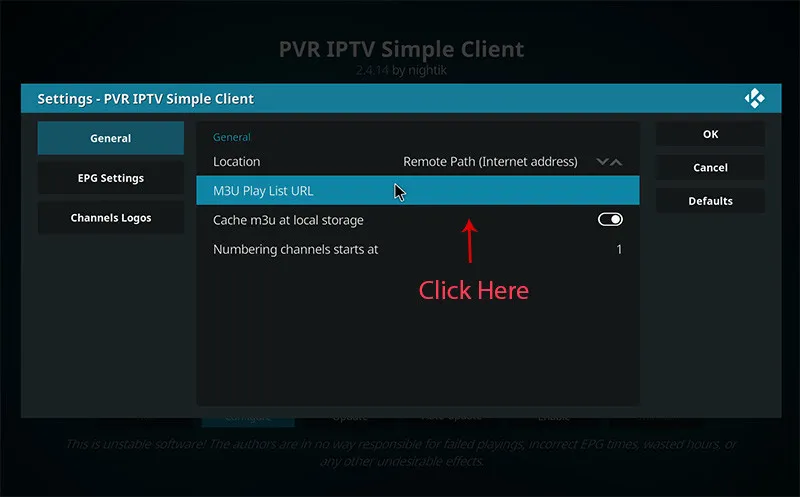
In the 'General' tab, set the Location to 'Remote Path (Internet address)'.
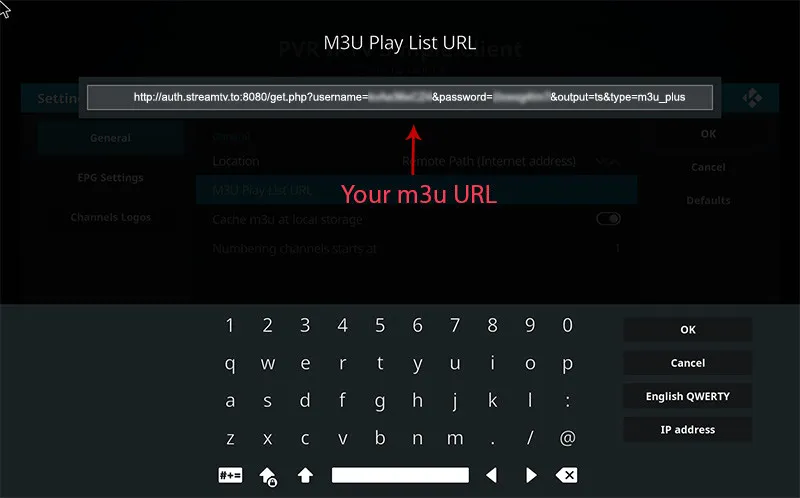
Click on 'M3U Play List URL' and paste the full address of your Tvsmarte subscription. Click OK to confirm.
In the 'EPG Settings' tab, also select the remote path and paste the XMLTV URL provided by Tvsmarte to load broadcast schedules.
Restart Kodi or trigger a PVR database reload. Head to the 'TV' section in the main menu to enjoy your Tvsmarte channels in 4K.
Csapatunk által ellenőrzött gyors megoldások a(z) Kodi gyakori problémáira.
Verify that the PVR IPTV Simple Client add-on is enabled (green checkmark). Go to Kodi Settings > PVR & Live TV > General and enable the TV option.
In PVR IPTV Simple Client configuration under the Advanced tab, check 'Cache M3U at local storage' to significantly speed up Kodi startup.
In Settings > Player > Videos, set 'Adjust display refresh rate' to 'On start / stop' to synchronize your display's refresh rate to 50Hz/60Hz.
Minden, amit tudnia kell a(z) Kodi előfizetésével való használatáról.
Kodi is not available in the official iOS/tvOS App Store due to Apple restrictions (it requires complex sideloading). On iPhone, iPad, and Apple TV, we recommend iPlayTV or GSE Smart IPTV.
Yes, if your TV supports HDMI-CEC, your regular TV remote will directly control the Kodi interface without any extra setup.
PVR IPTV Simple Client is optimized for live TV channels. To easily browse thousands of Tvsmarte VOD movies and series, IPTV Smarters Pro provides a more seamless user experience.
Kapja meg Xtream Codes adatait és M3U linkjét 5 percen belül e-mailben és WhatsAppon. Próbálja ki kockázat nélkül 24 órás pénzvisszafizetési garanciánkkal.