Customizable OSD Display
Enjoy a clean interface that adapts to any screen resolution without overloading your device's processor.



Discover our complete guide to configuring Perfect Player IPTV with your Tvsmarte subscription. Ideal for smart TVs and Android boxes, this player stands out with its semi-transparent OSD interface and low system resource consumption.
An ultra-lightweight interface built for fast channel zapping and flawless compatibility with Tvsmarte M3U playlists.
Enjoy a clean interface that adapts to any screen resolution without overloading your device's processor.
Organize thousands of Tvsmarte channels by country and theme, cleanly displayed in interactive folders.
Easily switch between hardware and software decoding to guarantee smooth 60 FPS playback on any hardware.
Kövesse az alábbi részletes lépéseket Tvsmarte streamjei beállításához a(z) Perfect Player alkalmazásban.
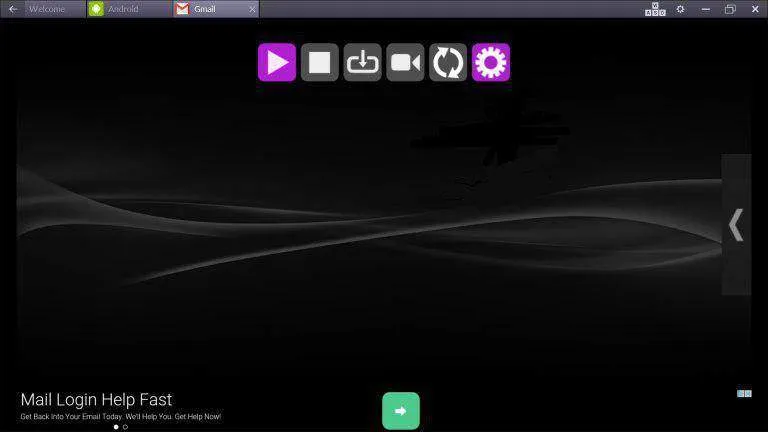
Launch the Perfect Player app on your device. In the top toolbar, click the purple gear icon to open the general settings panel.
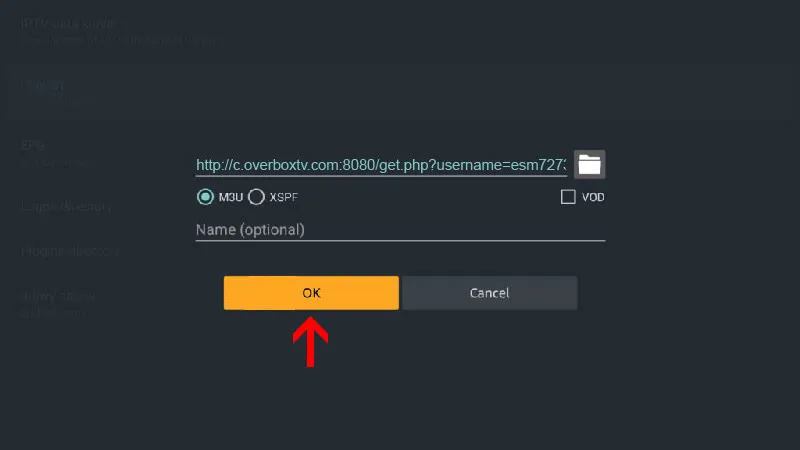
In the settings menu, select 'General' then click 'Playlist'. Paste your full M3U link provided by Tvsmarte, check the 'M3U' option, enable the 'VOD' box to include movies and series, and confirm by clicking 'OK'.
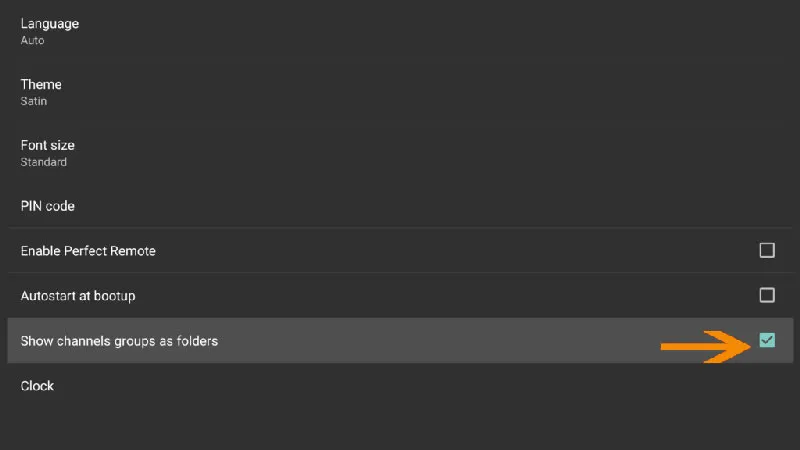
Return to settings and go to the 'GUI' section (User Interface). Check the 'Show channels groups as folders' option. This cleanly organizes your Tvsmarte channels by thematic bouquets.
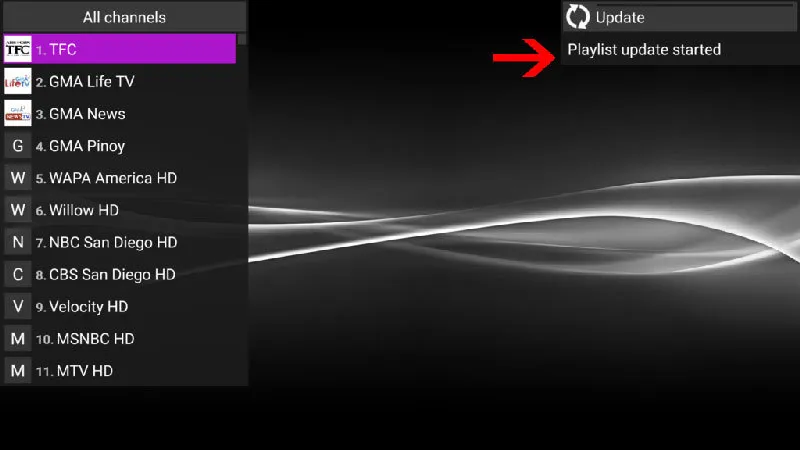
Return to the main screen. In the top right corner, the notification 'Update: Playlist update started' confirms the download of all your live Tvsmarte channels.
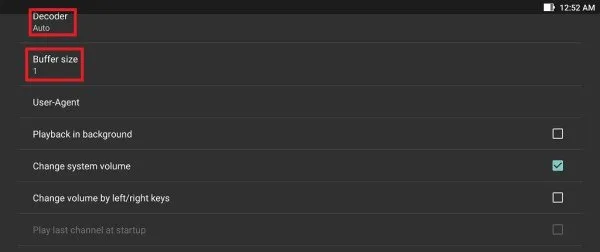
If you experience micro-stuttering on 4K streams, open the 'Playback' menu. Set the decoder to 'Auto' or 'Hardware' and adjust 'Buffer size' to 1 or 2 seconds for silky-smooth playback.
Csapatunk által ellenőrzött gyors megoldások a(z) Perfect Player gyakori problémáira.
Verify that your M3U URL is entered without typos and starts with http://. You can also test your link in a web browser to confirm it downloads the file correctly.
In Settings > Playback, change the Decoder setting from 'Auto' to 'Hardware' (HW). On older graphics processors, the 'HW+' mode also resolves playback lag.
Press the Menu button on your remote control or click the refresh icon (circular arrows) in the top toolbar to force an update.
Minden, amit tudnia kell a(z) Perfect Player előfizetésével való használatáról.
Yes, Perfect Player has a very stable native Windows version available as a free download from its official website, alongside the Android version.
Perfect Player supports the interactive EPG guide and catch-up archive, but does not offer direct recording to an external hard drive on most versions.
Long-press on a channel group and select 'Hide', or use the group manager in the Perfect Player settings.
Kapja meg Xtream Codes adatait és M3U linkjét 5 percen belül e-mailben és WhatsAppon. Próbálja ki kockázat nélkül 24 órás pénzvisszafizetési garanciánkkal.