Wide Codec Support & External Players
Switch between the internal engine and external players (VLC, MX Player) to play any 4K stream smoothly.



Discover how to configure GSE Smart IPTV with your Tvsmarte subscription. Renowned for its versatility and robustness, this cross-platform solution supports both M3U playlists and Xtream Codes API credentials for seamless live TV and catch-up streaming.
A versatile, feature-rich player offering advanced video codec controls and XMLTV EPG integration.
Switch between the internal engine and external players (VLC, MX Player) to play any 4K stream smoothly.
Automatically import the Tvsmarte TV guide with scheduled updates and customizable time-zone offsets.
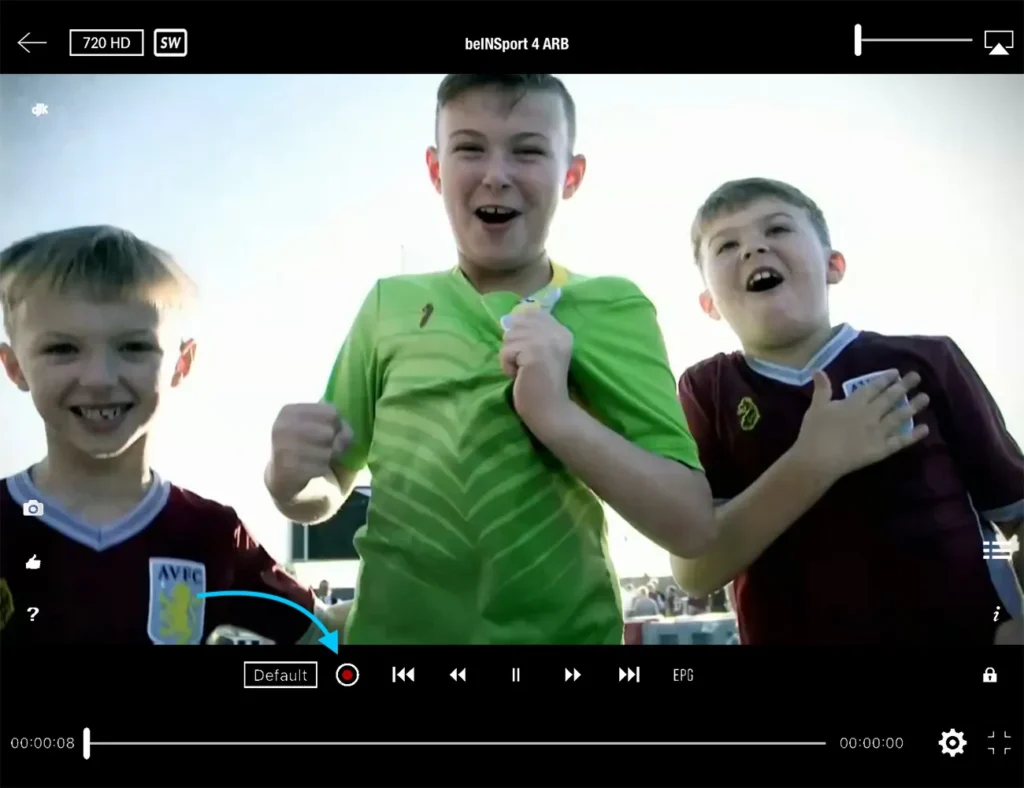
Record live sports broadcasts directly to your device's local memory or USB drive.
Следвайте всяка подробна стъпка по-долу, за да настроите потоците Tvsmarte в GSE Smart IPTV.
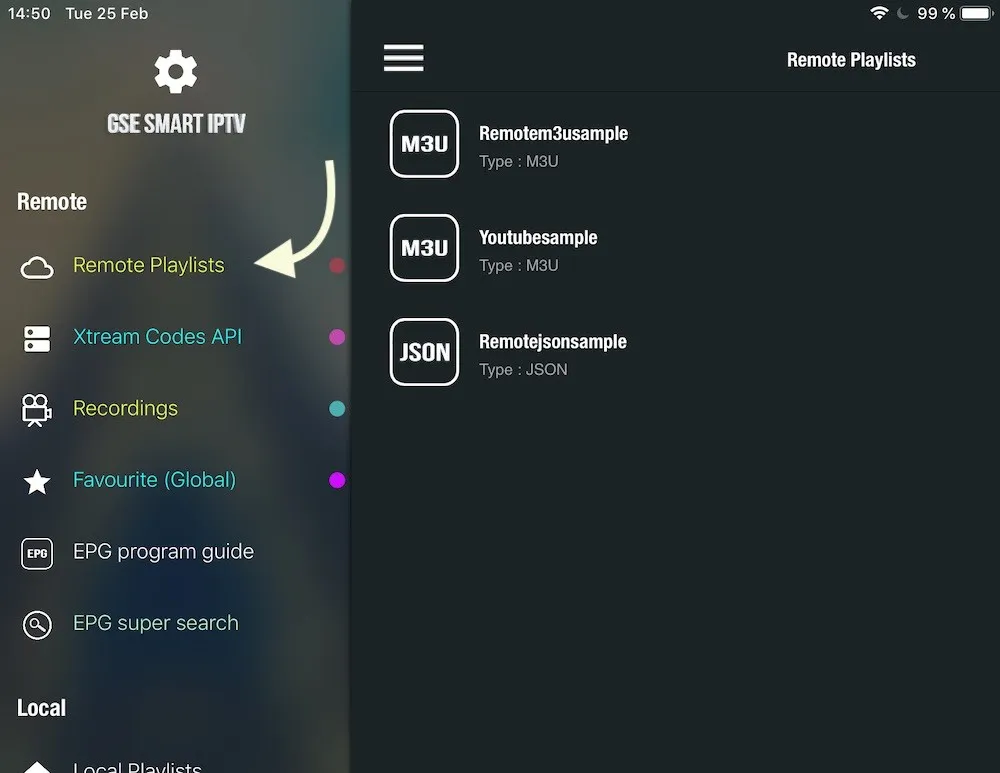
Launch GSE Smart IPTV on your device. Tap the hamburger menu icon (three horizontal bars in top-left) to open the side menu, then select 'Remote Playlists'.
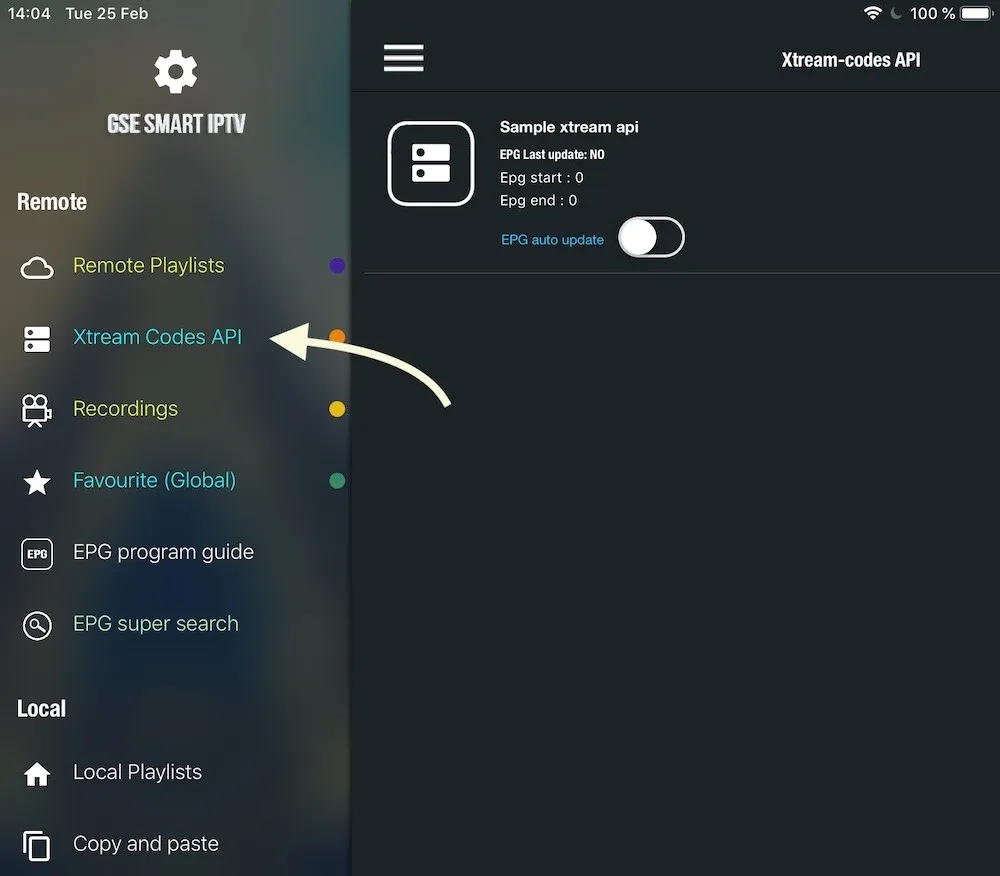
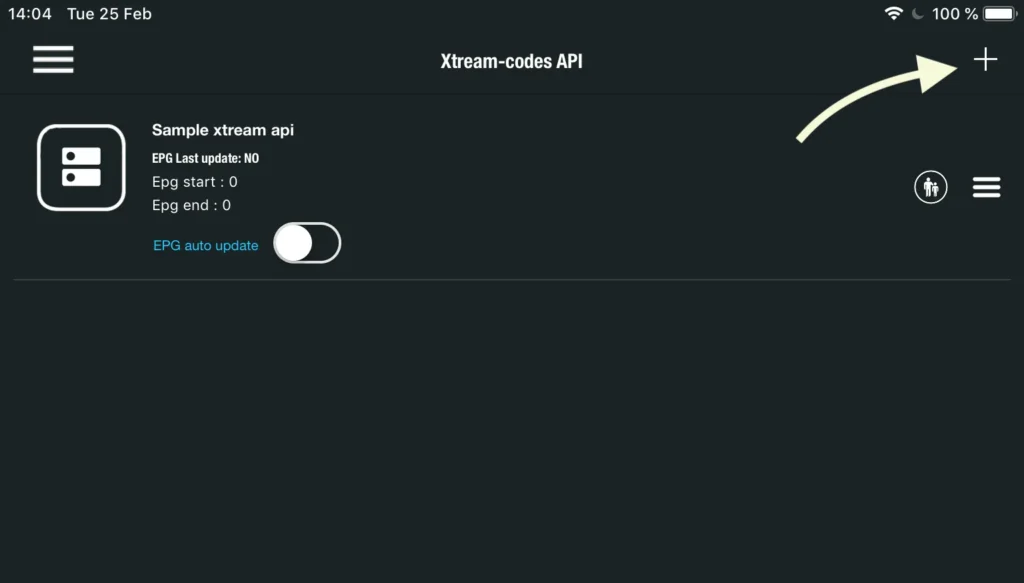
On the remote playlists screen, tap the circular red '+' button in the bottom right corner. In the popup menu, choose 'Add M3U URL' for playlist links, or 'Add Xtream-Codes API' for direct credentials.
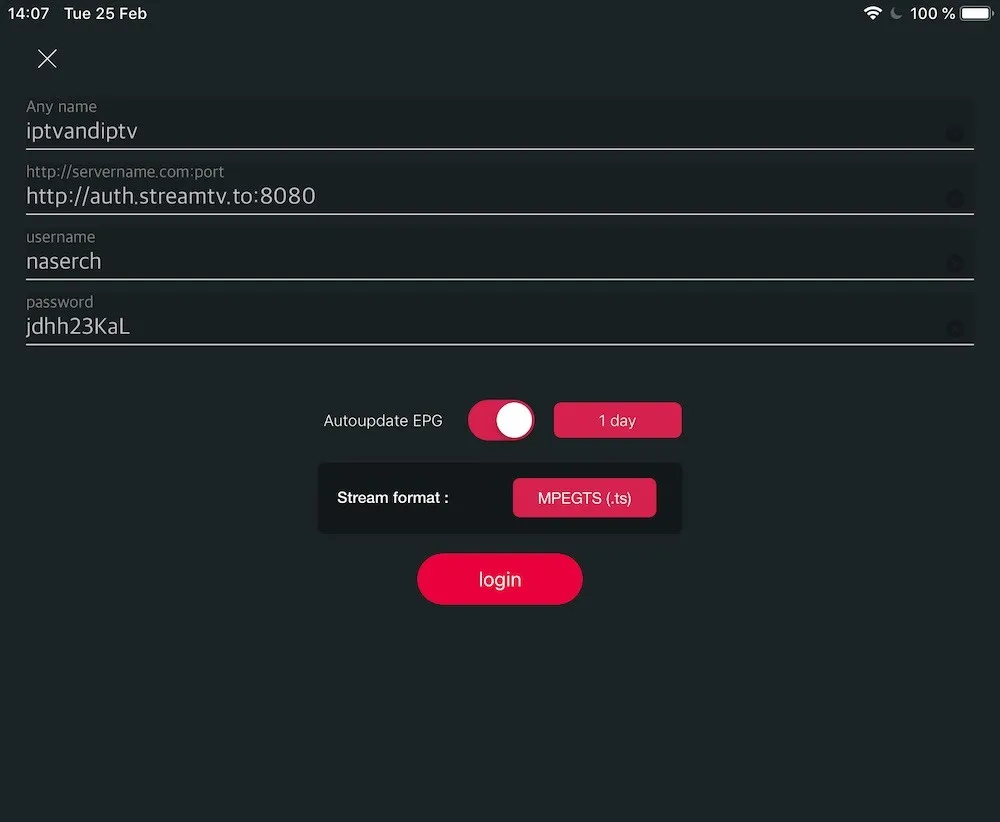
Name your playlist (e.g., 'Tvsmarte 4K') and paste your complete M3U link into the 'Playlist link' field. Ensure there are no stray spaces at the beginning or end, then click 'Add'.
GSE Smart IPTV connects to Tvsmarte servers and downloads the complete list of channels, movies, and series. A progress bar displays the category import status.
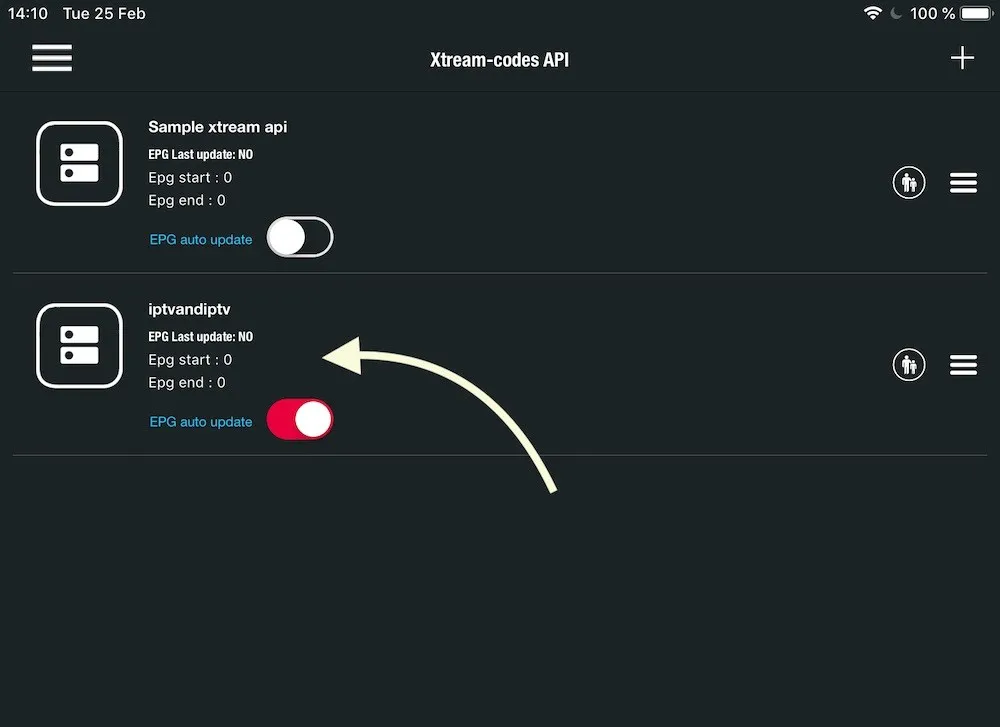
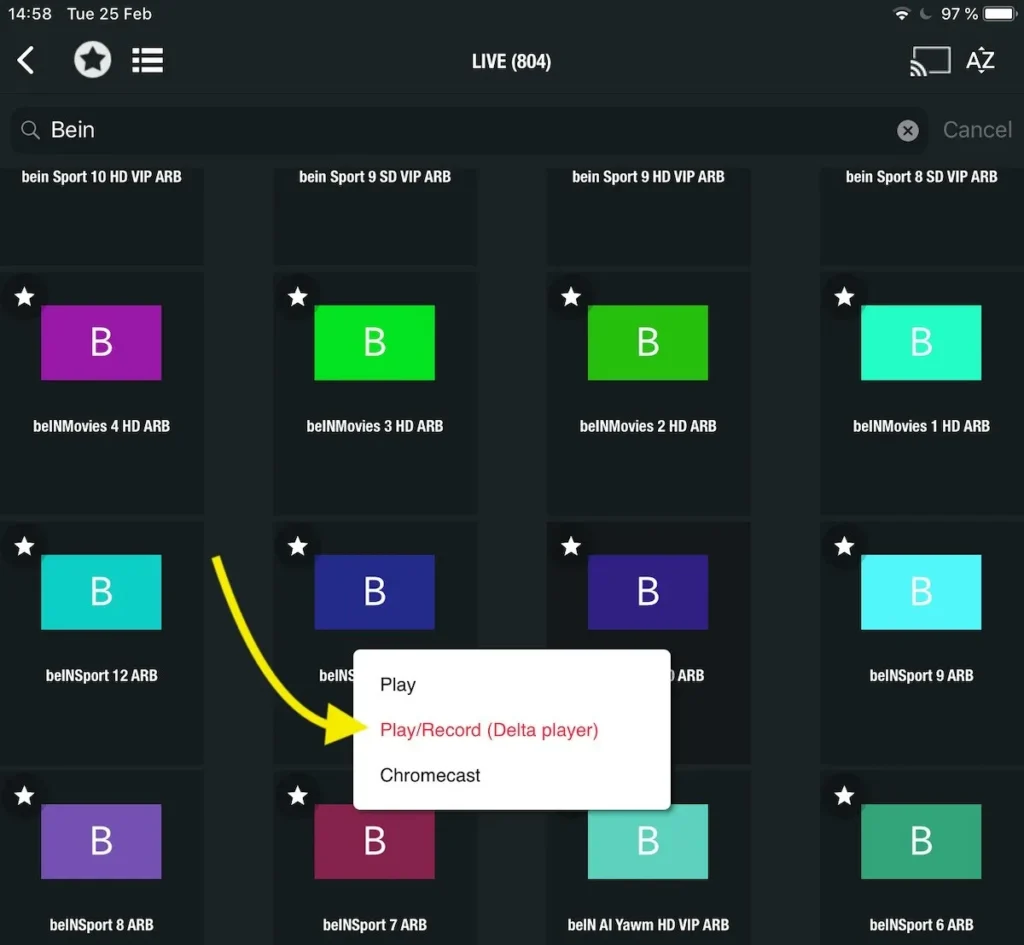
Select your 'Tvsmarte 4K' playlist. You'll access the full directory organized by country and theme (4K Sports, Movies, Documentaries). Click any channel to start instant playback.
During playback, tap the screen to reveal the control bar. You can adjust aspect ratios (16:9, zoom), switch audio tracks, or enable subtitles available on your Tvsmarte streams.
To view current and upcoming schedules, navigate to the 'Electronic Program Guide' section. Tvsmarte EPG connects automatically. You can also force a refresh anytime using the sync button.
Add your top channels (sports, movies) to your favorites list by tapping the star icon. You can also schedule local recordings so you never miss major sporting events.
Бързи решения, проверени от екипа ни, за честите проблеми с GSE Smart IPTV.
Check that your internet connection is active and that the full M3U URL was copied without truncation. If the playlist is large, use Xtream Codes API mode for faster loading.
In GSE Smart IPTV settings, navigate to 'Player Settings' and replace the default player with the external VLC player, or enable HW+ hardware acceleration.
Open the app's EPG settings and click 'Clear EPG Cache' followed by 'Force EPG Update' to reload Tvsmarte XMLTV feeds.
Всичко, което трябва да знаете за използването на GSE Smart IPTV с вашия абонамент.
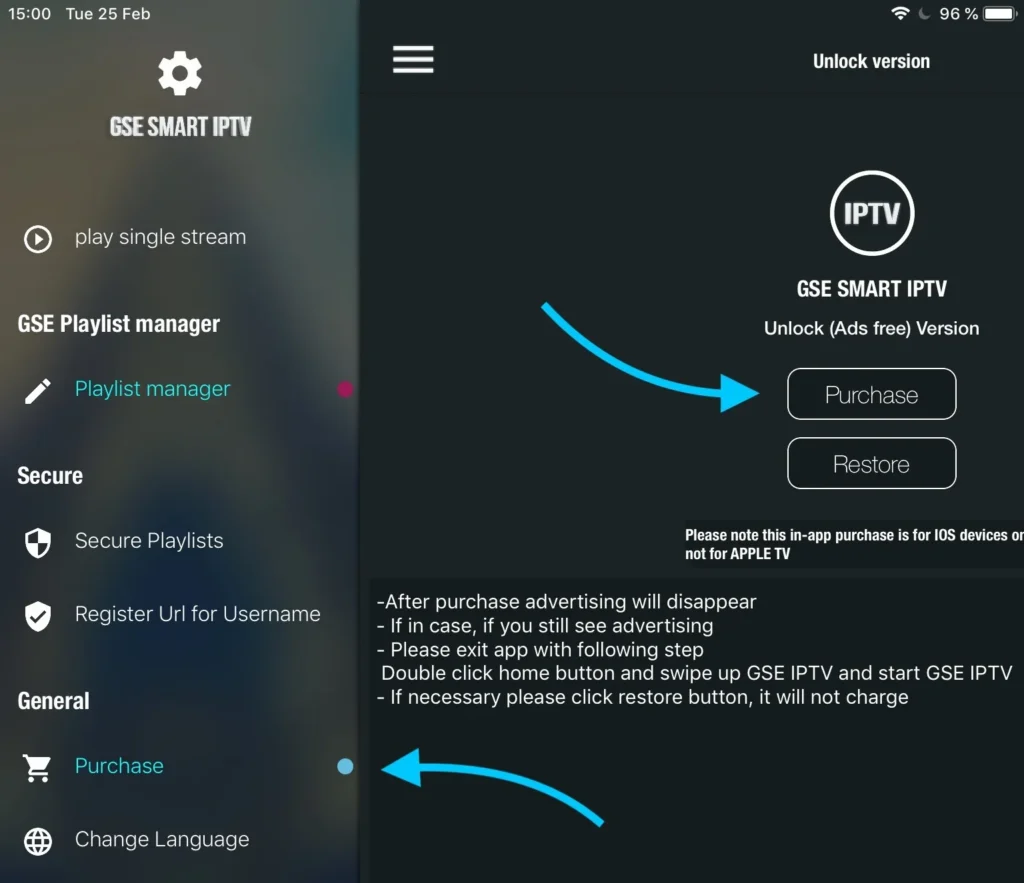
The app offers a functional free version with ads. A one-time in-app purchase removes ads permanently and unlocks advanced features.
Yes, GSE Smart IPTV is available on the tvOS App Store for Apple TV, as well as on iOS for iPhone and iPad.
While watching a live stream, tap the record button (red dot). The video file will be saved locally on your device's internal storage.
Получете данните Xtream Codes и линка M3U до 5 минути по имейл и WhatsApp. Тествайте без риск с нашата 24-часова гаранция за връщане на парите.