Modern Set-Top Box Style EPG
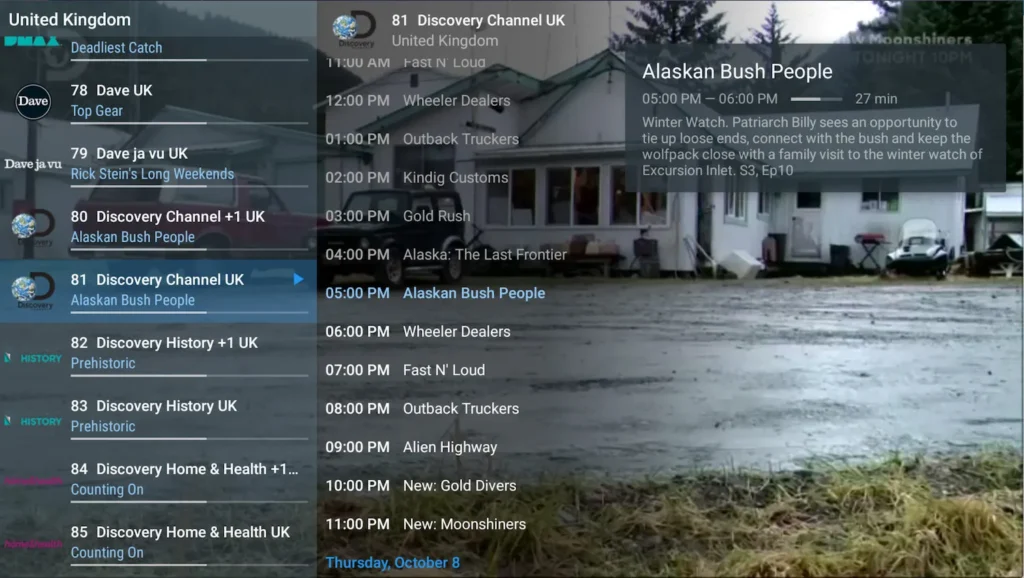
View the broadcast grid several hours ahead with live picture-in-picture preview while browsing without interrupting playback.



The definitive guide to installing and configuring TiviMate IPTV Player with Tvsmarte on Android TV, Google TV, and Amazon Fire TV Stick. Enjoy a premium big-screen TV interface tailored for remote controls, featuring an interactive TV guide and recording.
The absolute benchmark on the big screen: smooth navigation, multi-playlist management, and native 4K 60 FPS support.
View the broadcast grid several hours ahead with live picture-in-picture preview while browsing without interrupting playback.
Record live sports matches and TV shows directly to your TV's internal storage or a shared network drive.
Near-instantaneous channel switching powered by an internal video player optimized for Tvsmarte H.265 streams.
Urmează fiecare pas detaliat de mai jos pentru a configura fluxurile Tvsmarte în TiviMate.
Launch TiviMate on your TV. On the initial home screen, click the central 'Add Playlist' button.
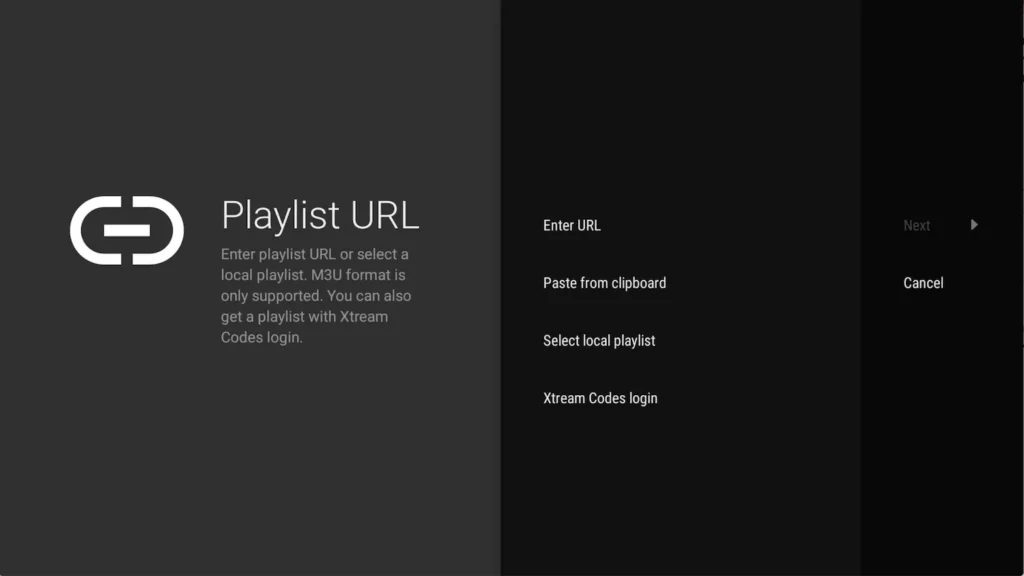
From the available options, select 'Xtream Codes login'. This method is recommended by Tvsmarte as it automatically downloads the EPG and organizes sports bouquets.
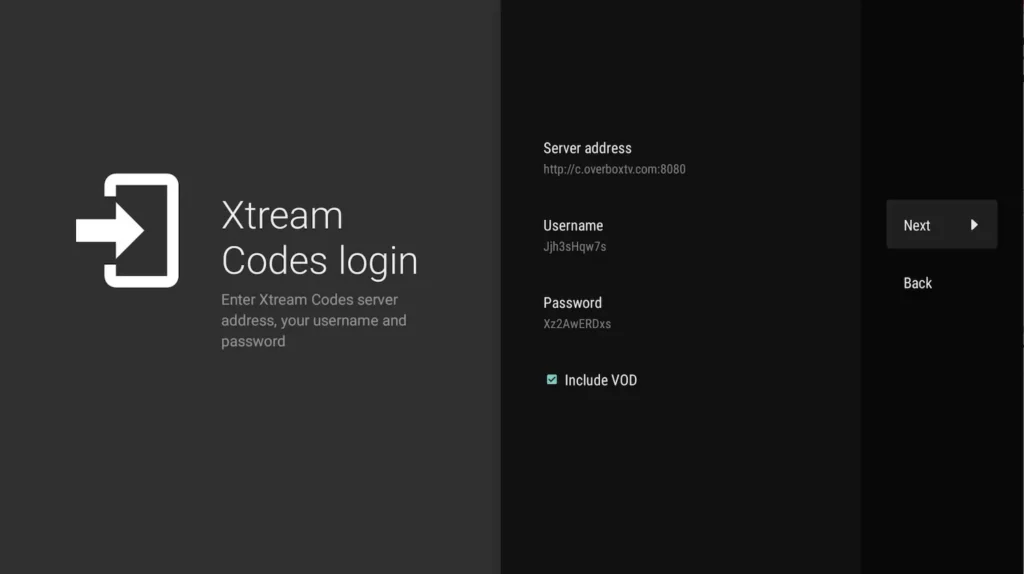
Enter the Tvsmarte server address (including port), your username, and your password. Check the 'Include VOD' option if you wish to access movies and TV series.
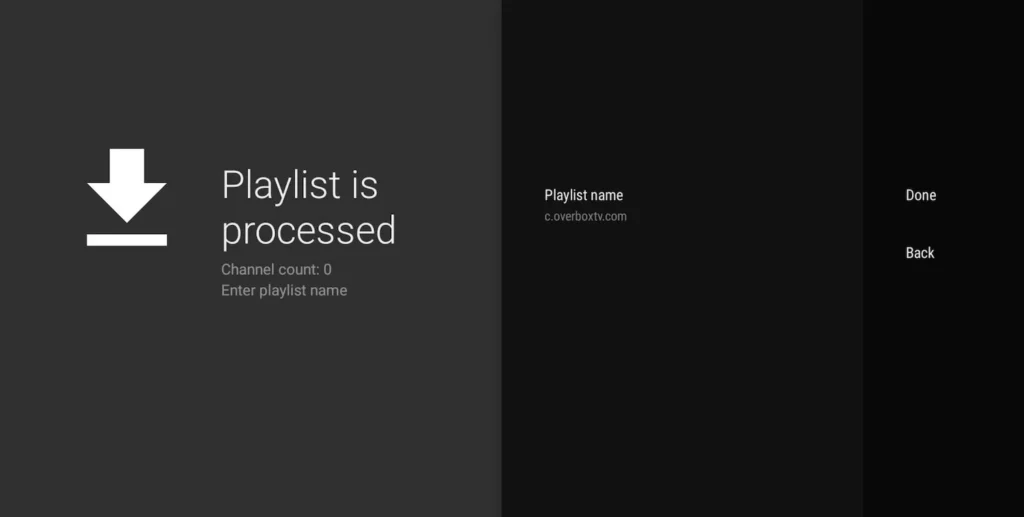
TiviMate connects to Tvsmarte servers and confirms success by displaying the number of imported channels and movies. Name your playlist 'Tvsmarte' and click 'Done'.
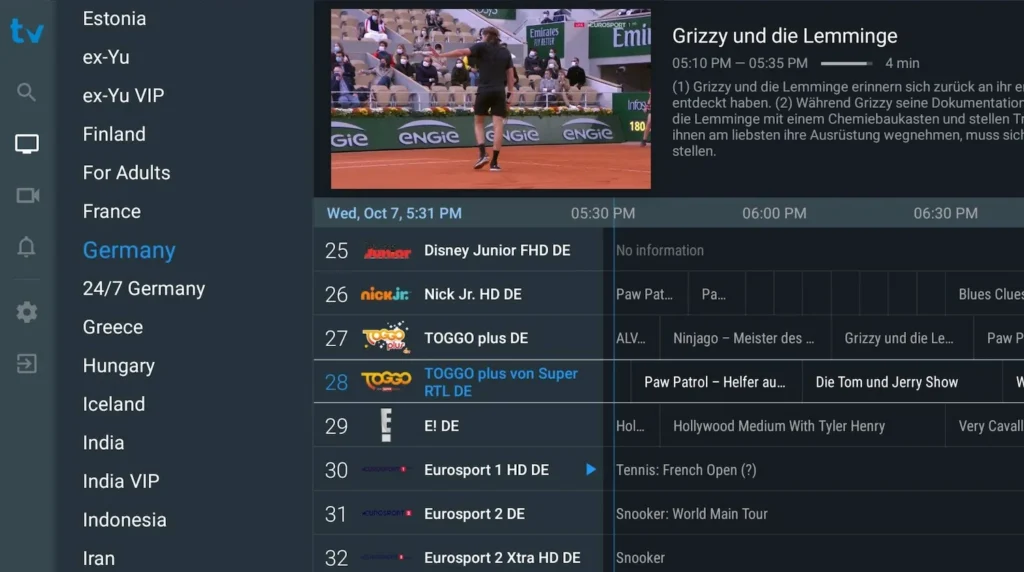
You now have access to the full-screen program guide. Browse by category (Sports, Entertainment, Cinema), set reminders, and stream your 4K channels smoothly.
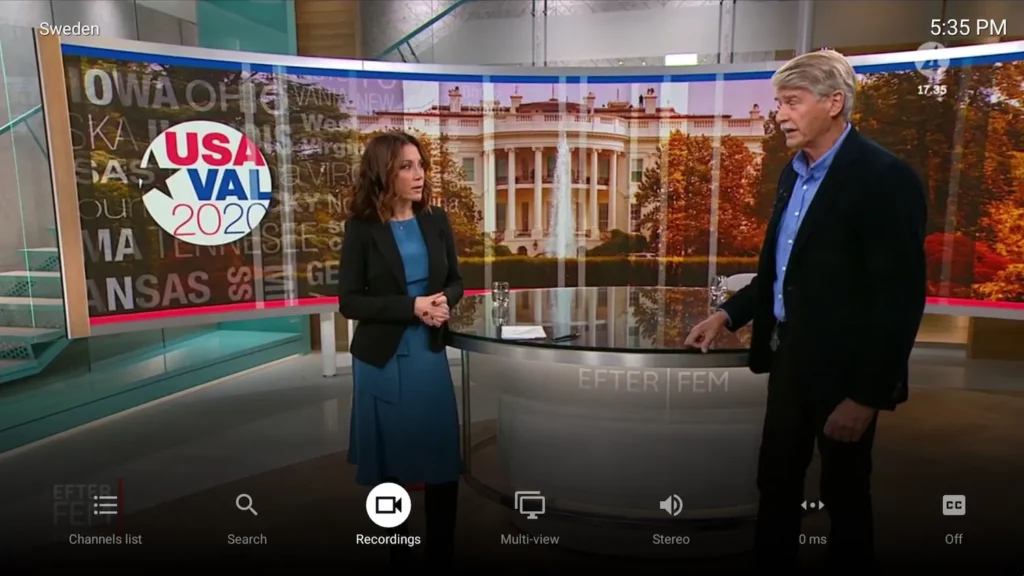
During playback, press and hold the center button on your remote control to access audio tracks, subtitles, and quick favorites management.
Soluții rapide verificate de echipa noastră pentru problemele frecvente pe TiviMate.
Check that you haven't added an accidental space at the end of the username or password. Verify that the server port is correctly included.
Download the companion app 'TiviMate Companion' on an Android smartphone to activate an official Premium license linked to your Google Play account.
In Settings > EPG > EPG Sources, click on your Tvsmarte source and then select 'Update EPG'. You can also manually assign a channel logo and EPG track.
Tot ce trebuie să știi despre folosirea TiviMate cu abonamentul tău.
No, TiviMate is exclusively built for the Android TV / Google TV and Fire OS (Amazon Fire TV Stick) operating systems. For Samsung or LG, we recommend IPTV Smarters Pro or Smart IPTV.
Yes, provided your Tvsmarte subscription includes 2 concurrent streams (such as our Supreme 2 Screens plan).
You can choose the destination folder in settings: on your device's internal storage, on a USB flash drive, or via a shared network folder (SMB/NAS).
Primește datele Xtream Codes și linkul M3U în mai puțin de 5 minute prin email și WhatsApp. Testează fără risc cu garanția noastră de rambursare de 24 de ore.