Universal Codec Compatibility
Plays H.264, HEVC / H.265, AV1, and MPEG-TS natively without installing any external plugins.



Discover how to stream your Tvsmarte subscription using the free, universal VLC Media Player on Windows PC, Mac, or Linux. Follow our step-by-step tutorial to open your M3U network stream and easily browse through your 4K channel playlist.
The gold standard open-source player to test your live streams and decode virtually any video codec without third-party codec packs.
Plays H.264, HEVC / H.265, AV1, and MPEG-TS natively without installing any external plugins.
Developed by the non-profit VideoLAN organization, VLC has zero ads, no paywalls, and no telemetry.
The ultimate utility to instantly verify your Tvsmarte line health and troubleshoot local network speeds.
Sekojiet katram detalizētajam solim zemāk, lai iestatītu Tvsmarte straumes lietotnē VLC Media Player.
Launch VLC on your computer. In the top menu bar, click on 'Media' and select 'Open Network Stream...' (or press Ctrl + N on Windows / Cmd + N on Mac).
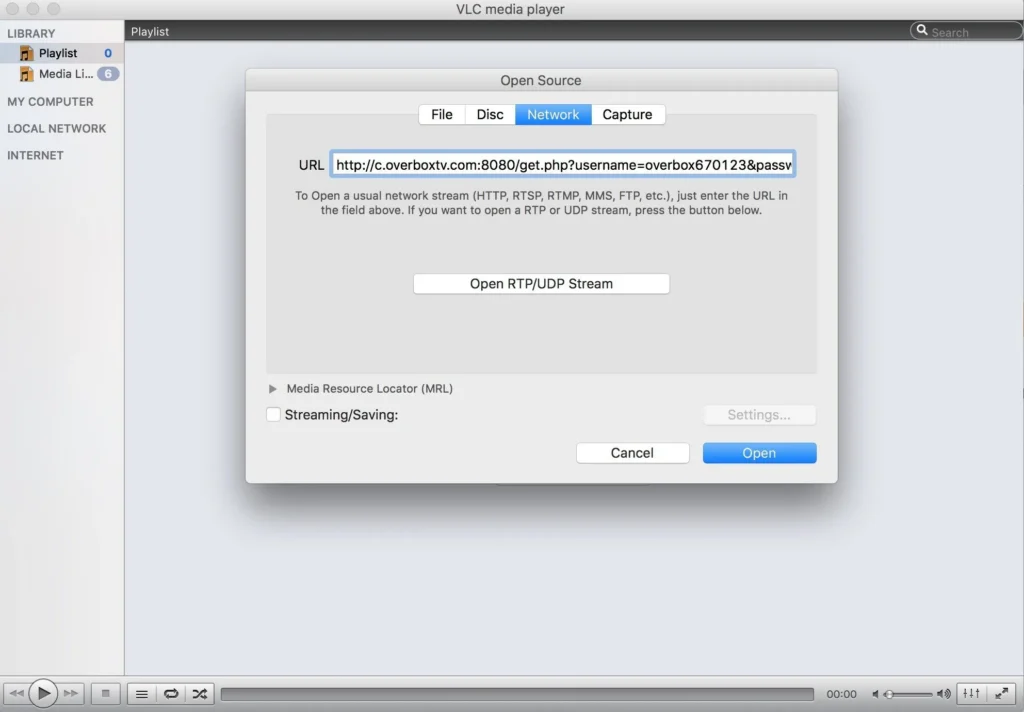
In the dialog box that appears, stay on the 'Network' tab. In the 'Please enter a network URL' field, paste your complete Tvsmarte M3U URL. Then click the 'Play' button in the bottom-right corner to start streaming.
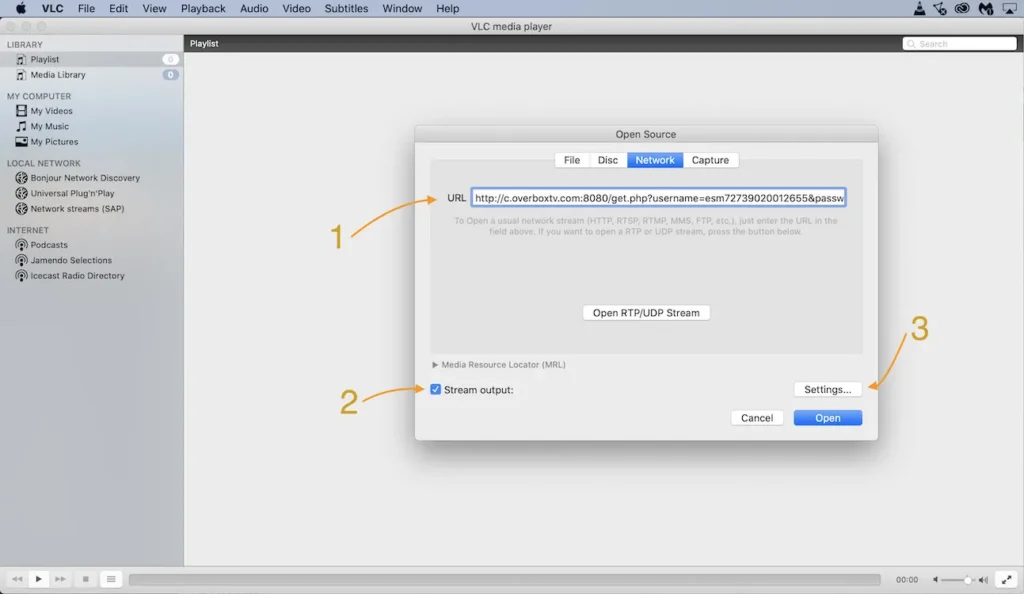
To view your full channel lineup instead of playing a single feed, press Ctrl + L (or go to 'View' > 'Playlist'). Use the search bar in the upper-right corner to type any channel name and double-click to watch.
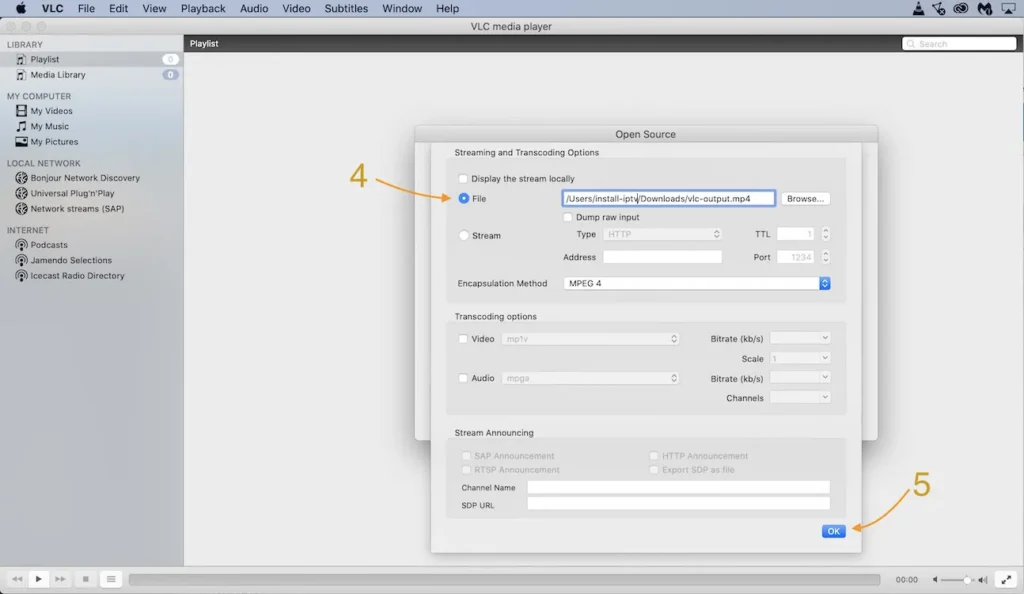
Mūsu komandas pārbaudīti ātri risinājumi biežākajām VLC Media Player problēmām.
This occurs when an M3U stream encounters a brief network disconnect. Disable 'Loop' mode in VLC (the loop icon at the bottom of the interface) or increase the network caching buffer under 'Tools' > 'Preferences' > select 'All' > 'Input / Codecs' > set 'Network caching' to 1500 or 2000 ms.
Navigate to 'Tools' > 'Preferences' > 'Input / Codecs', and confirm that 'Hardware-accelerated decoding' is set to 'Automatic' or 'DirectX Video Acceleration (DXVA) 2.0'.
Click on the 'View' menu and check 'Advanced Controls'. A red recording button will appear above the playback controls. Click it while watching: the recording is saved directly to your 'Videos' folder.
Viss, kas jāzina par VLC Media Player izmantošanu ar jūsu abonementu.
VLC displays channel names from the playlist, but lacks a dedicated interactive TV grid EPG found in specialized Tvsmarte players like IPTV Smarters Pro or TiviMate.
Yes, VLC is completely free on Android and iOS. You can open network streams in the same way under the 'More' > 'New Stream' section.
Yes, you can save the .m3u file to your computer for convenient one-click playback, but remember to re-download it periodically to pick up newly added Tvsmarte channels.
Saņemiet Xtream Codes datus un M3U saiti mazāk nekā 5 minūtēs pa e-pastu un WhatsApp. Izmēģiniet bez riska ar mūsu 24 stundu naudas atmaksas garantiju.