Seamless iCloud Synchronization
Add your Tvsmarte subscription on your iPhone and instantly access it on your iPad, Mac, and Apple TV.



Learn how to install and use IP Television on your iPhone, iPad, Apple TV, or Mac with your Tvsmarte subscription. Follow our step-by-step tutorial to sync live channels and VOD libraries using M3U or Xtream Codes with seamless iCloud synchronization.
An application engineered specifically for the Apple ecosystem featuring iCloud sync across all your devices.
Add your Tvsmarte subscription on your iPhone and instantly access it on your iPad, Mac, and Apple TV.
Browse the active television grid and plan your evening entertainment with ease.
Cast video streams to AirPlay 2 screens or keep watching in a floating PiP window while using other apps.
Segui ogni passaggio dettagliato qui sotto per configurare i tuoi flussi Tvsmarte in IP Television.
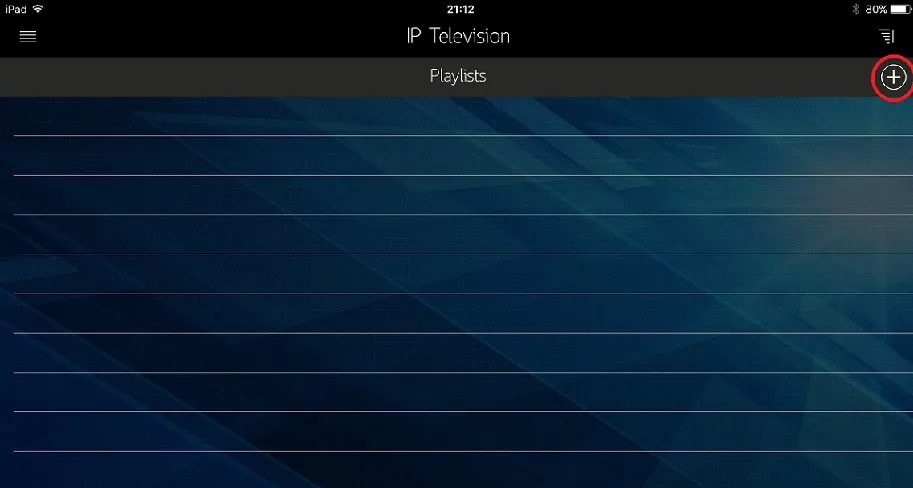
Launch IP Television on your iPhone, iPad, or Apple TV. On the main playlists screen, tap the '+' button in the top-right corner to add a new channel source.
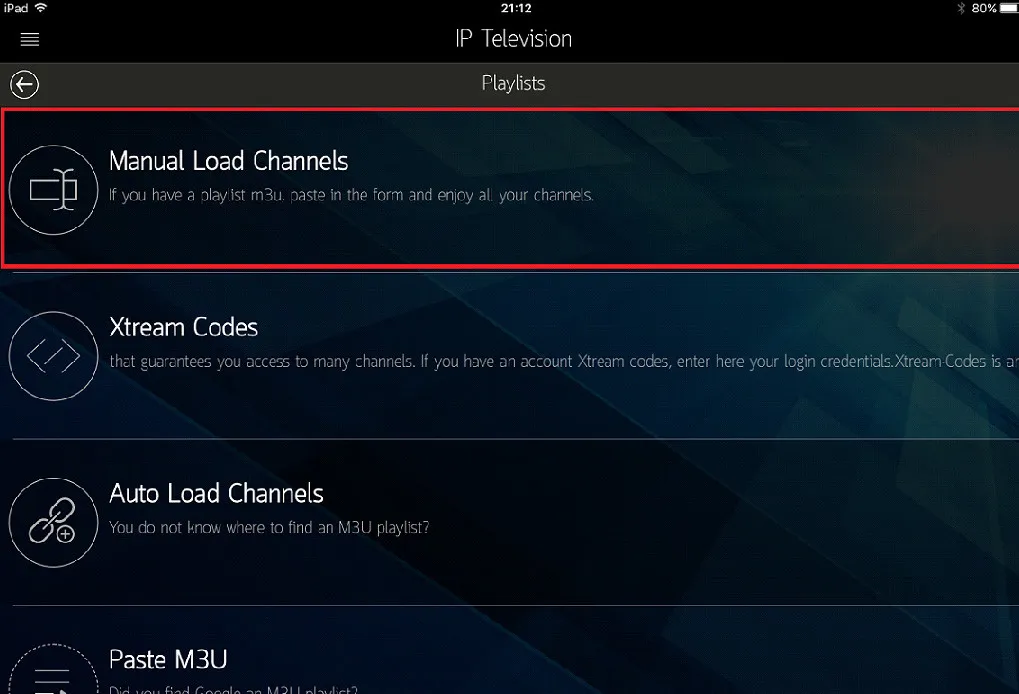
The app presents multiple import methods: choose 'Insert Playlist URL' for standard M3U links, or select 'Xtream Codes' to input direct credentials.
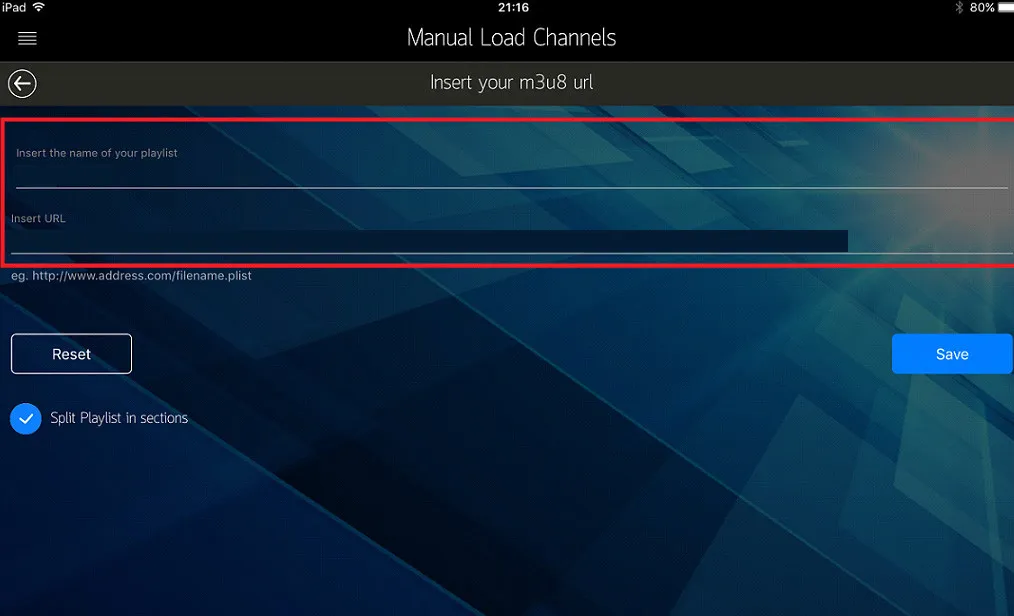
Name your playlist (e.g., 'Tvsmarte'), paste your streaming URL received by email, and tap 'Save'. The app will download your channels and update the EPG guide.
Soluzioni rapide e verificate dal nostro team per risolvere i problemi comuni su IP Television.
Ensure the copied link is complete, starts with http://, and contains no missing parameters. When streaming on cellular 4K/5G data, confirm data restrictions are turned off.
Verify that both your iPhone and Apple TV are signed in to the identical iCloud account and that 'iCloud Drive' is enabled for IP Television in iOS Settings.
Inside IP Television settings, change the internal playback engine from 'Default' to 'VLC' or 'Advanced Player' to decode Dolby Digital AC3/E-AC3 audio tracks.
Tutto quello che devi sapere per usare IP Television con il tuo abbonamento.
IP Television is typically priced around $2.99 on the App Store as a universal one-time purchase covering iPhone, iPad, and Apple TV.
Yes, you can minimize video playback to a floating corner window while multitasking across iOS apps.
No, IP Television is strictly exclusive to Apple iOS, iPadOS, macOS, and tvOS platforms.
Ricevi le credenziali Xtream Codes e il link M3U in meno di 5 minuti via email e WhatsApp. Prova senza rischi con la nostra garanzia di rimborso di 24 ore.