Optimized Smart TV Video Engine
High-efficiency hardware decoding that minimizes buffering on demanding 4K UHD streams.



Learn how to install and activate Set IPTV on your Samsung or LG Smart TV with your Tvsmarte subscription. Follow our step-by-step method to link your MAC address via the official Set IPTV portal and enjoy a fast, responsive streaming experience.
A modern Smart TV player featuring robust hardware video decoding and optimized EPG guide navigation.
High-efficiency hardware decoding that minimizes buffering on demanding 4K UHD streams.
Upload M3U or Xtream Codes directly via the dedicated web portal without tedious on-screen typing.
Smooth channel sorting by country and genre, with instant one-click favorite list creation.
Följ varje detaljerat steg nedan för att konfigurera dina Tvsmarte-strömmar i Set IPTV.
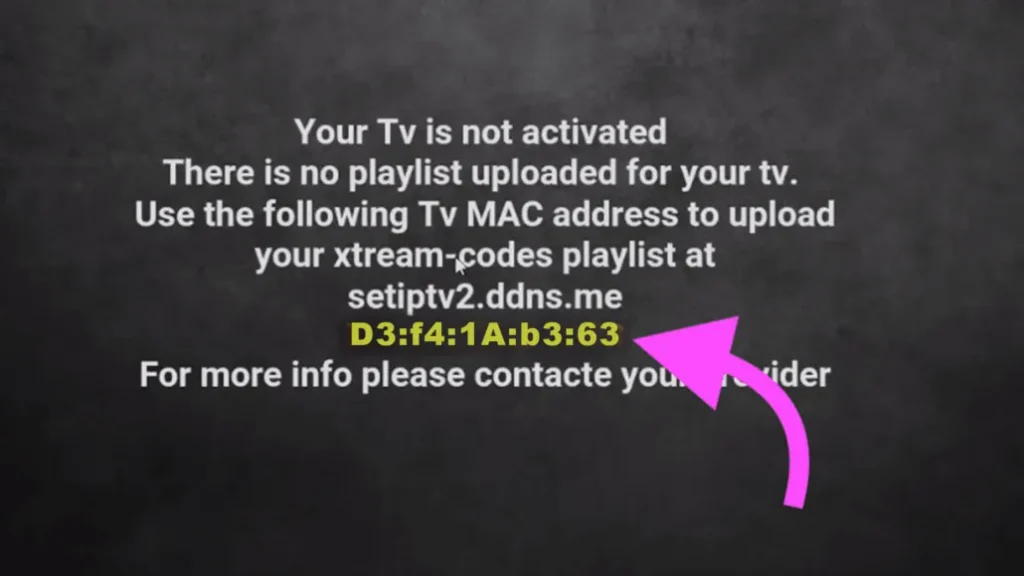
Download the Set IPTV app from your television's store (LG Content Store or Samsung Apps). Open the app: the welcome screen displays your MAC address (TV MAC) along with a temporary device code. Write down this TV MAC address.
On your smartphone or PC, visit the official configuration portal: https://cms.setsysteme.com/set.app. Enter your TV MAC address, paste your Tvsmarte M3U URL into the 'URL M3U' field, check the security captcha, and click 'Send'.
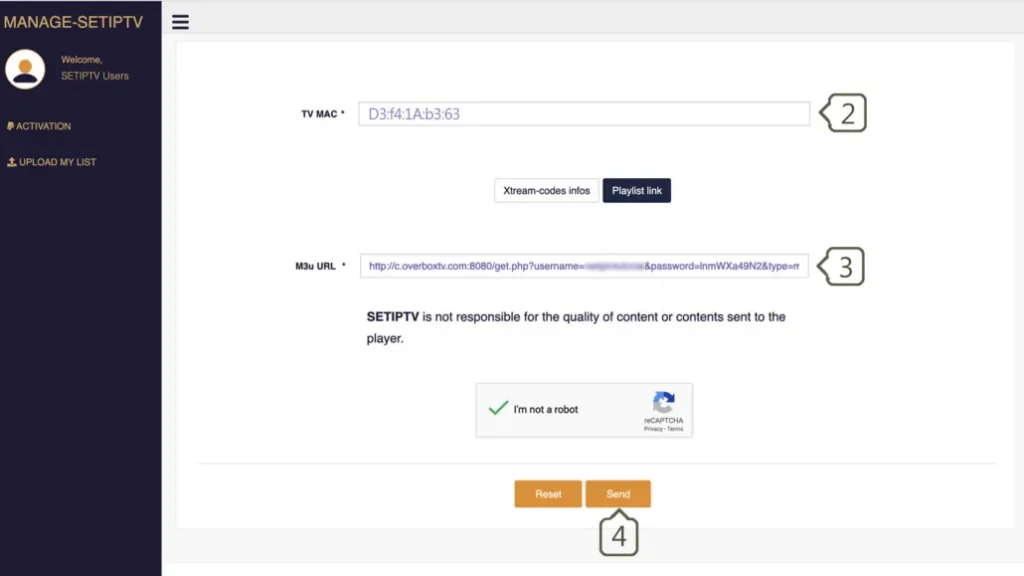
A green confirmation banner will confirm that the playlist was successfully uploaded to your device. Return to your television, press the red button or select 'Restart' to immediately load your Tvsmarte channels.

Snabba lösningar som vårt team har verifierat för vanliga problem med Set IPTV.
Verify that your full Tvsmarte M3U link was pasted correctly on cms.setsysteme.com without truncating. Restart Set IPTV from the in-app menu.
Set IPTV includes a 7-day free trial. Lifetime activation costs approximately €15.39 and can be completed at https://setsysteme.com/act.app using your TV MAC address.
Inside Set IPTV settings, switch the video decoder mode to 'Hardware' or change the stream format to MPEG-TS.
Allt du behöver veta om att använda Set IPTV med din prenumeration.
Yes, you can install Set IPTV on Fire TV devices by sideloading the official APK using the Downloader app.
Yes, within Set IPTV settings, you can uncheck specific countries or content categories you do not want in your main menu.
Yes, for compatible Tvsmarte channels, a rewind icon appears in the EPG to rewatch previously aired shows.
Få dina Xtream Codes-uppgifter och din M3U-länk på under 5 minuter via e-post och WhatsApp. Testa riskfritt med vår 24 timmars pengarna-tillbaka-garanti.