Broad Smart TV Compatibility
Available natively in the Samsung Smart Hub and LG Content Store without external hardware.



Learn how to configure Net IPTV on your Samsung or LG Smart TV with your Tvsmarte subscription. Follow our step-by-step tutorial to register your MAC address on the official netiptv.eu portal and import your M3U playlist seamlessly.
A straightforward and stable Smart TV player featuring cloud-based playlist uploads and a clean multi-language interface.
Available natively in the Samsung Smart Hub and LG Content Store without external hardware.
Remotely provision your Tvsmarte streams in seconds using your TV's unique MAC address.
Quickly jump to your favorite sports channels and organize custom channel groups.
Wykonaj każdy szczegółowy krok poniżej, aby skonfigurować strumienie Tvsmarte w Net IPTV.
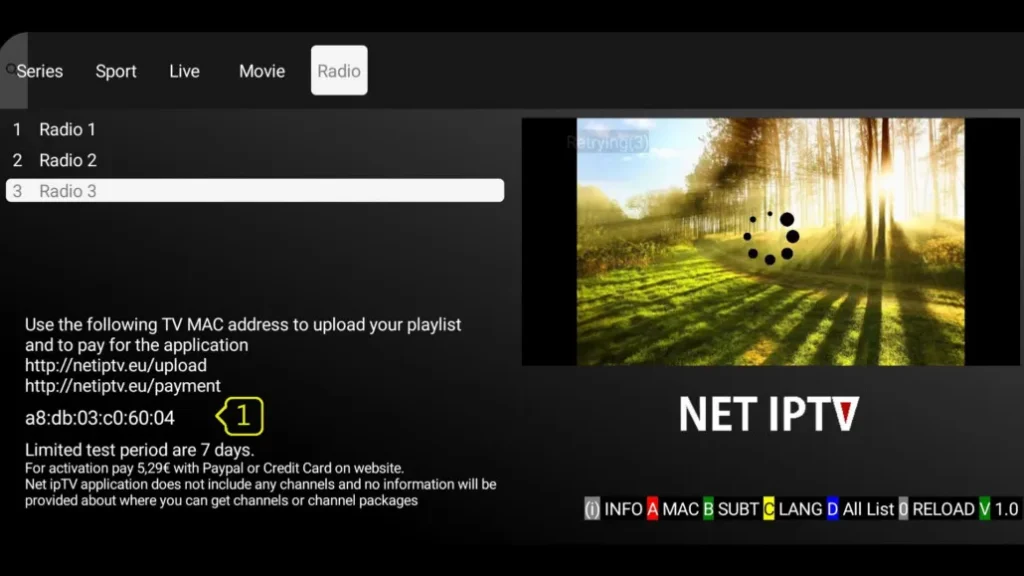
Download and launch Net IPTV on your Smart TV. Right on the home screen, write down the MAC address (MAC / APP ID) displayed in the center (format: XX:XX:XX:XX:XX:XX).
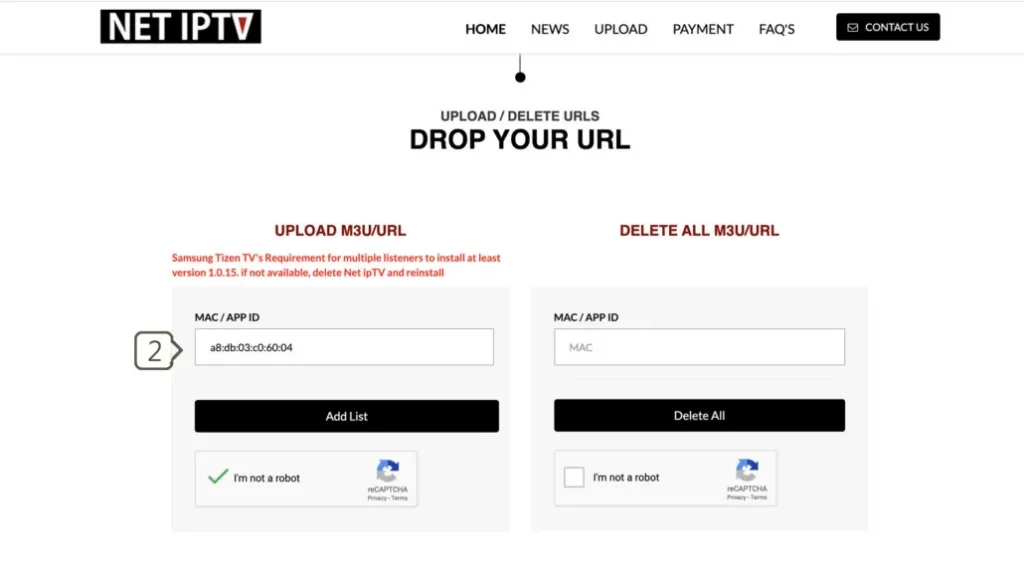
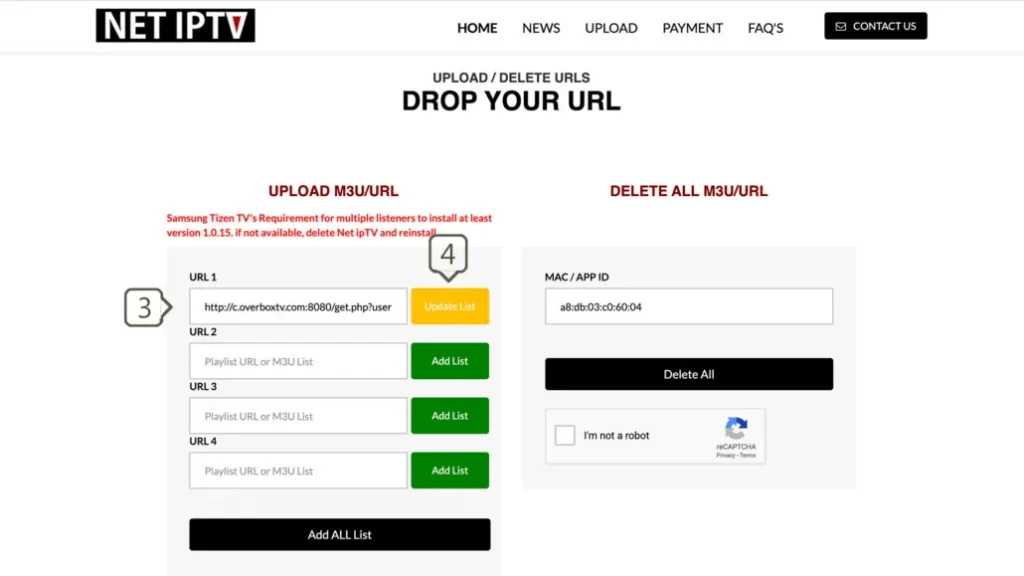
On your computer or smartphone, visit https://netiptv.eu/upload. Enter your MAC address into the 'MAC / APP ID' field, then paste your Tvsmarte M3U URL into 'URL 1'. Complete the captcha and click 'Add List'.
Return to your Smart TV. Press the '0' key or the 'Reload' button on your remote control to force a refresh. Your Tvsmarte 4K channels will appear instantly.
Szybkie rozwiązania sprawdzone przez nasz zespół dla typowych problemów z Net IPTV.
Ensure your MAC address was entered without typos on netiptv.eu and that the M3U link was copied in its entirety. Click 'Add List' once more, then restart the app.
Net IPTV provides a 7-day free trial. Once expired, activation is €5.79 for 24 months or €13.79 for lifetime access via netiptv.eu/payment.
Within Net IPTV settings, change the buffer duration to 'High' (5 seconds) to absorb bandwidth variations.
Wszystko, co musisz wiedzieć o korzystaniu z Net IPTV w ramach subskrypcji.
No, Net IPTV is an independent player and requires an active subscription like Tvsmarte to stream live television.
Yes, you can install the official Net IPTV APK using the Downloader app on your Fire TV device.
In the channel list, long-press the OK button or press the yellow button on your remote to bookmark any channel as a favorite.
Otrzymaj dane Xtream Codes i link M3U w mniej niż 5 minut e-mailem i przez WhatsApp. Testuj bez ryzyka z naszą 24-godzinną gwarancją zwrotu pieniędzy.